
Write title tags and meta descriptions that earn the click.
Clicks are harder to earn in the organic channel than ever – make sure your key pages are optimized.
Paste a URL. See what is live right now, how it measures against what Google will actually display, and get a stronger draft built from your real page content. No signup, no credit card.
Try it out now!
Live pixel and character checks
Uses your real page content
Refine until it fits
What you get in under a minute
Your current title tag and meta description, pulled live
Pixel width and character count for both, measured against display limits
An optimized draft written from the page’s actual content
Revisions on request, shorter, sharper, or more specific
Free, and it stays free. We built it for our own team and left the door open.
The same page, before and after.
Length is not the point on its own. The point is what a person sees, and whether it gives them a reason to choose you over the nine other results on the page.
Before
yoursite.com › services › drain-cleaning
Drain Cleaning Services | Professional Drain Cleaning Company Serving …
Welcome to our website. We offer drain cleaning services for residential and commercial customers. Contact us today to learn more about our services and how we can help you with all …
The title repeats itself and gets truncated before it says anything useful. The description could belong to any business in any city.
After
yoursite.com › services › drain-cleaning
Same Day Drain Cleaning Pros in Clarkston, MI | Upfront Pricing
Slow or backed up drain? We clear it same day, price before we start, and clean up after. Serving Clarkston and North Oakland County since 2009.
Specific, complete, and it answers the thing the searcher actually cares about. Same page, same business, different snippet.
Four easy steps, performance-changing metas.
Character counts are what most people work from, because pixel width is the thing you cannot eyeball in a spreadsheet or a doc. Pixels are what Google actually renders, so pixels are what we measure. The tool does that part in the background, which means you can stay on the words.
1
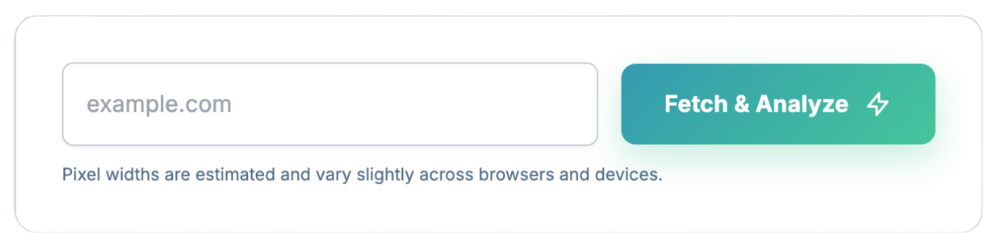
Paste the URL
Drop in any page you can reach publicly. The tool fetches the live title tag and meta description, and reads the page content in the background so its suggestions have something real to work from.
2
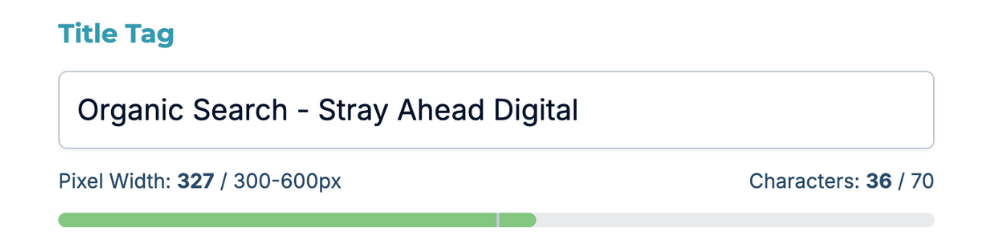
See where you stand
Your current elements come back with character counts and estimated pixel widths, so you can see immediately whether Google is going to truncate you, or whether you are leaving half the space on the table.
3
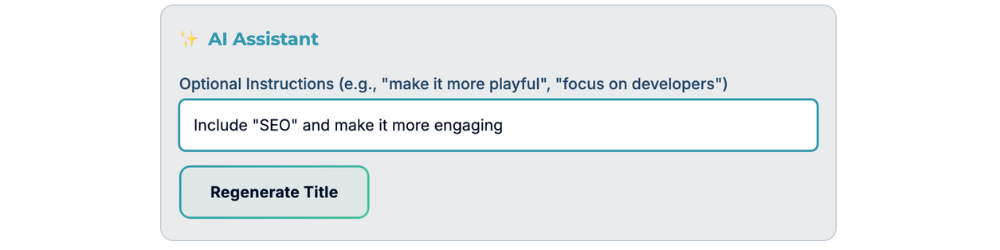
Add your context
Optional, and the part tools and people skip. Give it a target keyword, a tone, a campaign angle, a location, whatever matters. Context is the difference between a generic rewrite and something that sounds like your business.
4
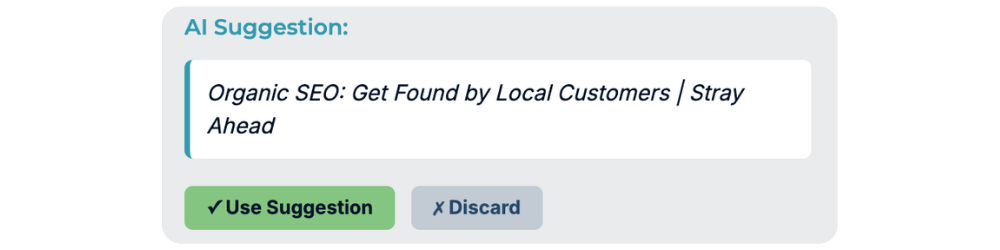
Generate, then refine
Get a draft, then push back on it. Shorter. Less salesy. Lead with the location. Ask for what you want and it revises. Edit the result yourself before it ships, because you know your business better than any model does.
What actually fits in a search result.
Character counts are a rough proxy. Google renders in pixels, and a title full of wide letters runs out of room long before one full of narrow ones. Here is what the limits look like in practice.
Why pixels, not characters?
A capital W is roughly three to four times the width of a lowercase i. Two titles at 58 characters can render 100px apart. Counting characters gets you close. Measuring pixels gets you right.
How firm is 600px really?
Firm enough to design around, loose enough not to trust to the pixel. The title container measures about 600px, but live testing has found titles truncating at many different lengths, sometimes as low as around 515px. So you can play it safe and go a little less than 600px, but the goal is making your titles valuable enough and within the general length so that they’re used.
Why Google rewrites titles
Usually because the title is too long, too thin, stuffed with keywords, repeats boilerplate across the site, or does not match the page. Google confirms it rewrites titles that do not accurately reflect what is there.
Do meta descriptions affect rankings?
No. Google has confirmed the meta description is not a direct ranking factor. However, it affects whether a person picks your result, which contributes to engagement signals and other downstream indirect impact.
Google publishes none of these numbers. Their documentation says there is “no limit on how long a title element can be” and that the title link is truncated to fit the device. Every figure above comes from our own experience and the SEO community measuring live results, which means it shifts by device, query, browser, and whatever Google is testing that week. Treat them as working ranges that keep you clear of the edge, not as guarantees.
Built for our team. Useful for yours.
SEOs
Work through a backlog of pages without hand counting characters or guessing at truncation.
Agency teams
Cut the hours your team spends on the least interesting task in the workflow, without shipping generic output.
Marketers
Write snippets that pull their weight, and see what changed before you push it live.
Business owners
Fix how your business shows up in search without needing to study up on SEO fully first.
This writes a draft. You still have the last word.
We use AI the same way we use it on client work, to get to a strong starting point faster. It is not a publish button. The output here is built from your real page content and your direction, which makes it a good draft – but it’s important to see it as that.
Read it before it ships. Most of what is wrong with search results right now is unreviewed output from someone who did not. That is a low bar to clear, and clearing it is most of the advantage.
The things people ask about this tool.
Yes. No account, no email, no trial that turns into a bill. We built this for our own team and use it regularly. It’s a simple efficiency tool, not a powerful platform that justifies cost, so there is no reason to put a gate on it in our eyes.
Sometimes yes, sometimes no – we can’t guarantee they will. Estimates put the rewrite rate somewhere around 70 percent, with Google substituting a sentence from your page that better matches the specific query. That is normal behavior, not a penalty.
Your description is most likely to survive on brand searches and when it genuinely matches what the page delivers. Think of it as a strong suggestion rather than a setting.
Not directly in Google, and they have come out to say that directly. They affect whether someone chooses your result, which affects your traffic. Title tags are the ones that carry ranking weight as a direct factor, which is why the tool treats them as the priority.
Usually one of five reasons: it is too long and gets truncated, it is too short and thin, it is stuffed with keywords, it repeats the same boilerplate as every other page on the site, or it does not describe what is actually on the page. Google confirms it rewrites titles that do not accurately reflect the page. Our tool addresses each of these elements through contextual reasoning and length limits.
Yes, on any page you can reach publicly. If the page is behind a login or a staging password, the tool cannot fetch it, so paste the content manually or point it at the live version.
Close, not exact, and that is true of every tool that does this. They are measured against the font Google renders results in, but Google publishes no limits, and actual display shifts by device, browser, query, and whatever is being tested that week. Use them to stay clear of the edge rather than to land exactly on it.
Other marketing tools we built for ourselves and left open for you.
FREE TOOL
Webpage Notes
Annotate feedback or change requests directly on your webpages and download a PDF for easy sharing.
Check it outFREE TOOL
AI Reviews Responder
Draft a reply to a review that takes the context of your brand and the review into account.
Check it outALL TOOLS
The Whole Toolkit
Everything we have built and left open, in one place. Technical checks, reputation, metadata, and whatever we ship next.
Browse all of our toolsIf you have hundreds or thousands of pages, this is going to take a while.
Meta elements are one small piece of a much bigger picture. If you would rather not work through it page by page, that is the kind of thing we handle for clients. We will also tell you straight if you do not need us.